How to Share AirGradient Data to Sensor.Community via Home Assistant
How to Share AirGradient Data to Sensor.Community via Home Assistant

At AirGradient, we are always happy to see how our community extends our open-source / open-hardware air quality monitors to contribute to the global open data ecosystem.
Recently, AirGradient user Thomas Reifenberger figured out a brilliant way to take data from his AirGradient Open Air and push it to Sensor.Community map (formerly known as luftdaten.info) using Home Assistant.
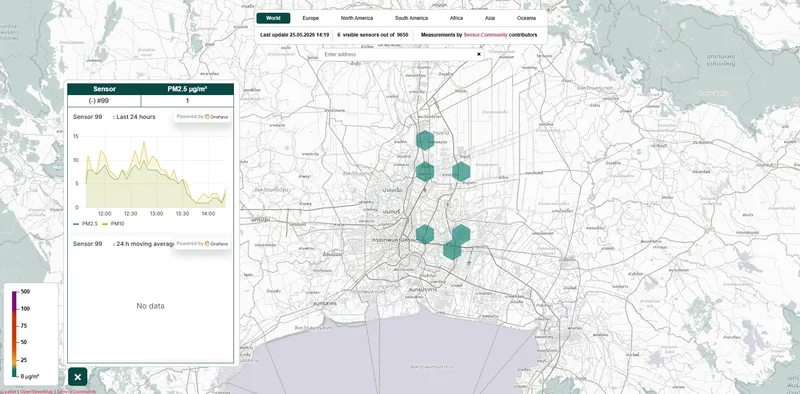
Instead of relying on firmware modification, Thomas created a custom Home Assistant blueprint that automatically packages your AirGradient monitor's readings and sends them to the Sensor.Community API. This way, you can contribute your data to Sensor.Community map without touching a line of code in the firmware. All original functionalities of your monitor remain completely intact.
If you already use your AirGradient monitor with Home Assistant, this is a simple, convenient, and non-destructive way to contribute to crowd-sourced environmental data. According to Thomas' guide, we are going to expose these metrics to Sensor.Community: PM2.5 (raw), PM10, temperature, and humidity.
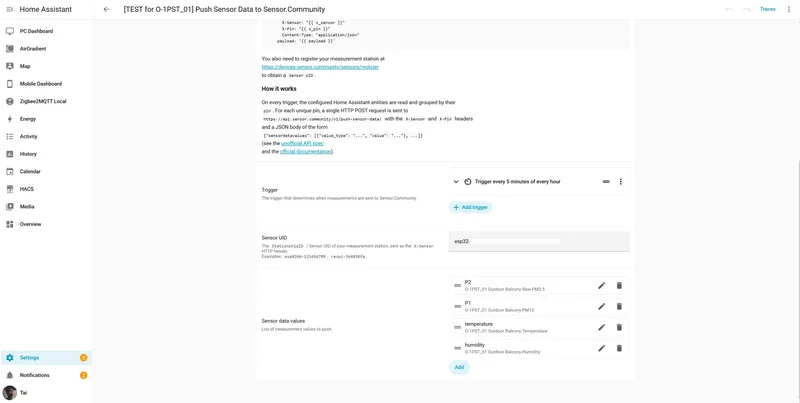
The information below is a quick recap of what you need and how you are going to set it up.
What you need:
- AirGradient ONE or AirGradient Open Air
- Home Assistant (with AirGradient Integration installed and connected to an AirGradient monitor)
How to proceed?
This is just an overview. To complete all the steps properly, we strongly recommend you to take a look at Thomas' blog post: https://blog.rfnbrgr.de/airgradient-open-air-data-sharing.html
- Create Sensor.Community account
- Register a new sensor on Sensor.Community
- Use Thomas' Home Assistant blueprint and follow his instructions
- Add a few lines in your Home Assistant's configuration.yaml (Home Assistant's configuration.yaml is quite strict with indentation and space. Please make sure you put the format correctly)
- Reload your Home Assistant configuration.yaml
Big Thanks to Thomas Reifenberger
We would like to shout out to Thomas again for creating such a complete guide on his blog post and for creating a Home Assistant blueprint which is very convenient to use. If you have any questions, you can reach out to him or create a post in our AirGradient Discussion Forum: https://forum.airgradient.com/ . Our community is looking forward to discussing further with you and seeing your cool contributions like Thomas did!