AirGradient Go: Performing a Hard Reset
AirGradient Go: Performing a Hard Reset
A hard reset can resolve many problems caused by an unexpected monitor state, including front buttons that register touches without being pressed (ghost touches) or buttons that have become unresponsive.
A hard reset does not delete any data or change the monitor’s settings, WiFi credentials, or Bluetooth pairing. It is not a factory reset.
Steps:
- Locate the On/Off/Unlock button at the bottom of the monitor:
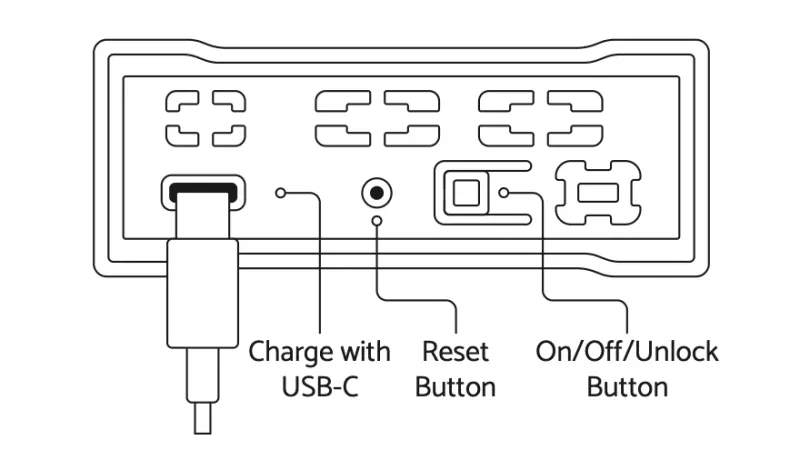
- Press and hold the button until the monitor restarts and you see the "Getting Ready" message again. This normally takes 10 to 12 seconds.
Video Guide
Before opening or reassembling the monitor
Do not open, disassemble, or reassemble the AirGradient Go while it is powered. First disconnect the USB-C cable and fully power off the monitor.
Electrostatic discharge while the monitor is powered can cause the capacitive buttons to become unresponsive.
For shutdown instructions, see Charge and Power Off AirGradient Go.