Control the LEDs and Display on the AirGradient ONE
Control the LEDs and Display on the AirGradient ONE
This guide walks you through all the LED and display settings available on your AirGradient ONE, so you can tailor it to your environment and preferences.
To know more about the LEDs types and pollutant threshold, please see: Understanding the LED Indicators on Your AirGradient ONE
1) Enable Advanced Configuration Settings
Before anything else, you need to unlock the LED & Display controls.
a) Go to General Settings
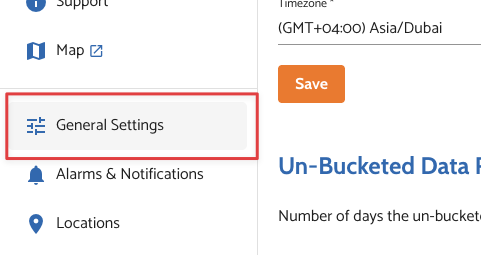
b) Scroll down
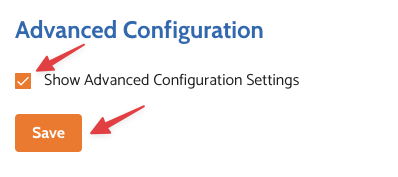
c) Enable Show Advanced Configuration Settings
d) Click Save
Once enabled, a new “LED & Display” tab will appear in General Settings.
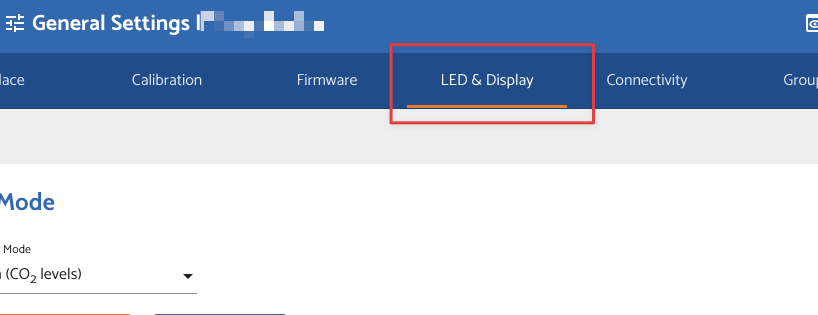
2) Open the LED & Display Tab
Here’s what you’ll see:
LED Mode:
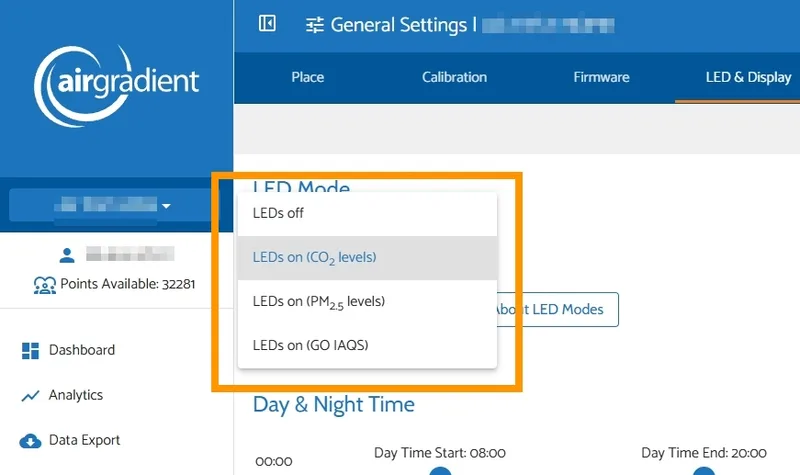
This controls what parameter the LED bar represents. Or you can turn it off completely.
- LEDs off
- LEDs on (CO2 levels): Best for ventilation awareness
- LEDs on (PM2.5 levels): Better if you care about particulates
- LEDs on (GO IAQS): Learn more about GO IAQS Score
Pick one based on what matters more to you. By default, this is set to CO2 - you can’t show both PM2.5 and CO2 at the same time as there's only one LED bar. Alternatively, you can switch to GO IAQS mode which consolidates readings across multiple pollutants.
CO2 Configuration:
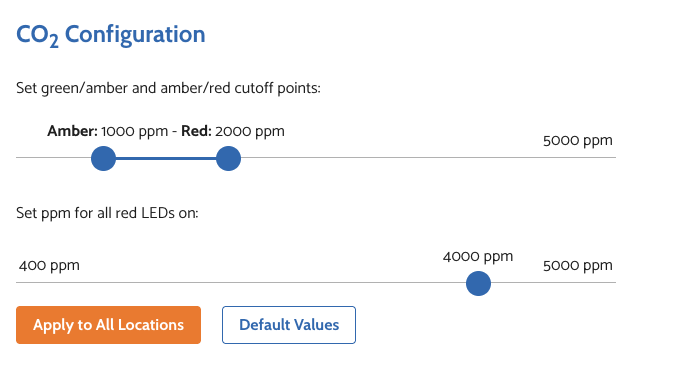
This only applies if LEDs are set to CO2 mode.
You define when the LED color changes:
- Green → Amber (slightly elevated CO2)
- Amber → Red (high CO2)
Default Values:
- LED turns Amber at 1000 ppm
- LED turns Red at 2000 ppm
You can also set the level where all LEDs turn red.
Day & Night Time:
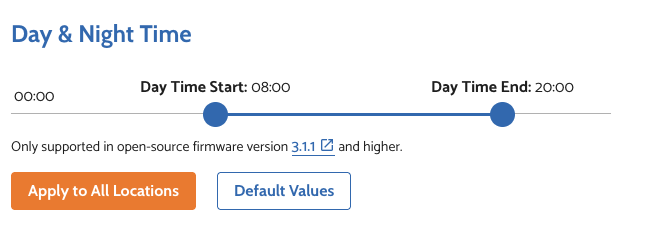
This sets when the device switches between “day mode” and “night mode”.
Default Values
- Day Start - 08:00
- Day End - 20:00
These times control how brightness behaves in the next settings.
LED Brightness:
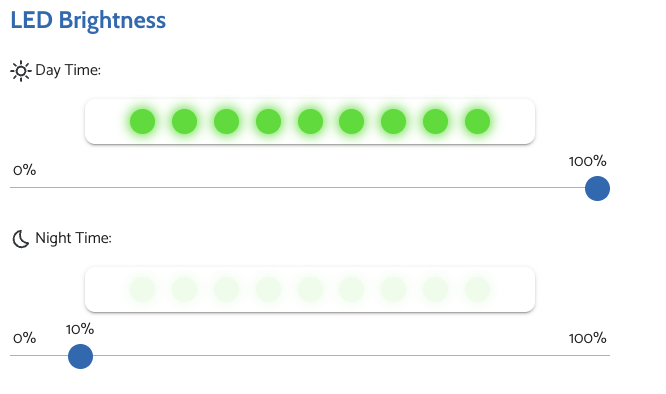
You can set different brightness levels for:
- Day Time (as set in Day & Night Time above)
- Night Time (as set in Day & Night Time above)
Typical setup:
- Day: brighter (visible across the room)
- Night: dim or almost off (avoid disturbance)
Display Brightness:
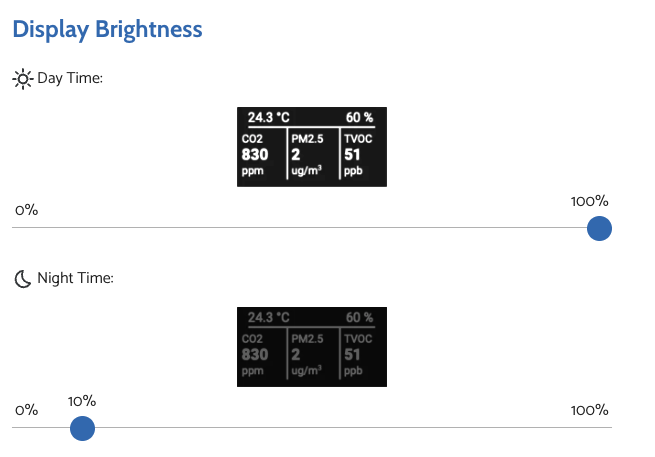
Same idea as LEDs, but for the screen.
- Set brightness for day.
- Set brightness for night.
Auto Screen Off (2am–3am)

This setting helps extend display lifespan.
Monitor-specific settings (per device)
Via the LED & Displays menu, these settings are applied globally across your dashboard.
If you want to change settings for a specific monitor only, you can do this at the Location level:
- Go to the location via Dashboard → Admin → Edit Location
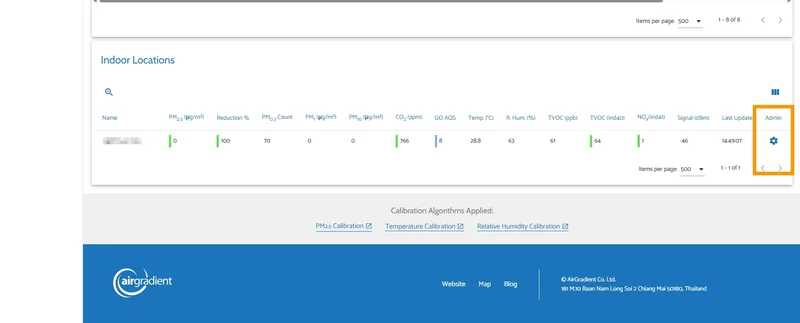
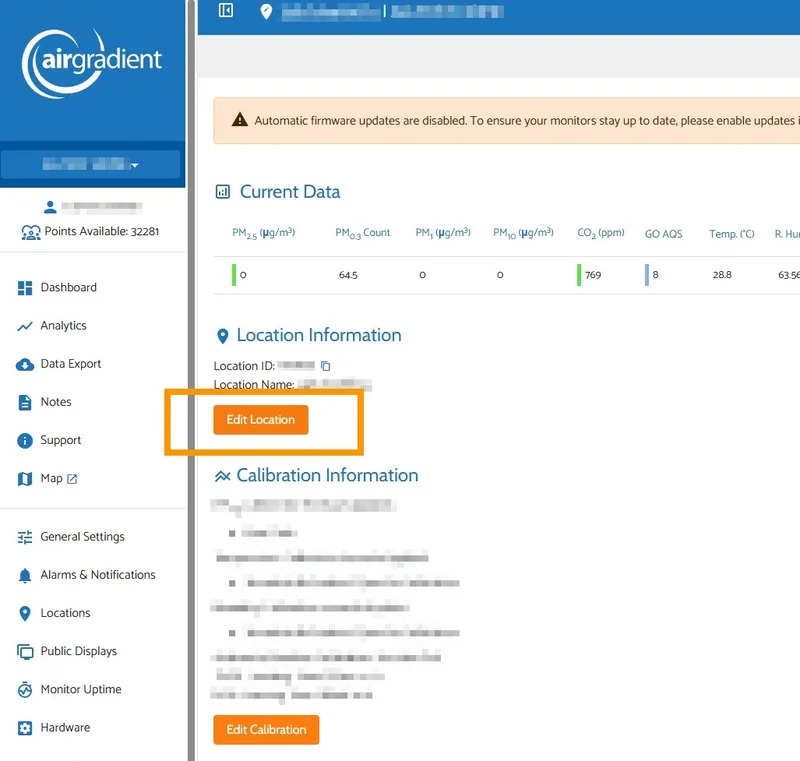
- Open Monitor Settings
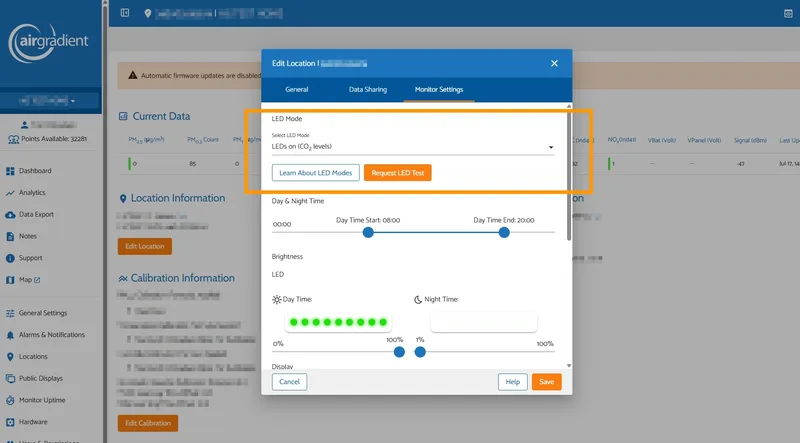
Select your preferred LED Mode and click 'Save'
This allows you to override global settings and apply custom configurations to a single monitor without affecting others.
Notes
- These features require firmware version 3.1.1 or higher
- Changes will apply within 1-5 minutes after saving
- GO IAQS LED Mode on AirGradient ONE requires firmware version 3.7.0 or higher