Where can I find the Serial Number of an AirGradient monitor?
Where can I find the Serial Number of an AirGradient monitor?
The method depends on whether you have a fully assembled unit or a DIY kit.
If the monitor is already registered in your Dashboard account, you can find its serial number there.
Find the serial number in the Dashboard
For a monitor that is already registered:
- Open the AirGradient Dashboard.
- Select Hardware in the sidebar menu.
- Find the monitor in the hardware list. Its serial number is shown.
Fully Assembled Devices
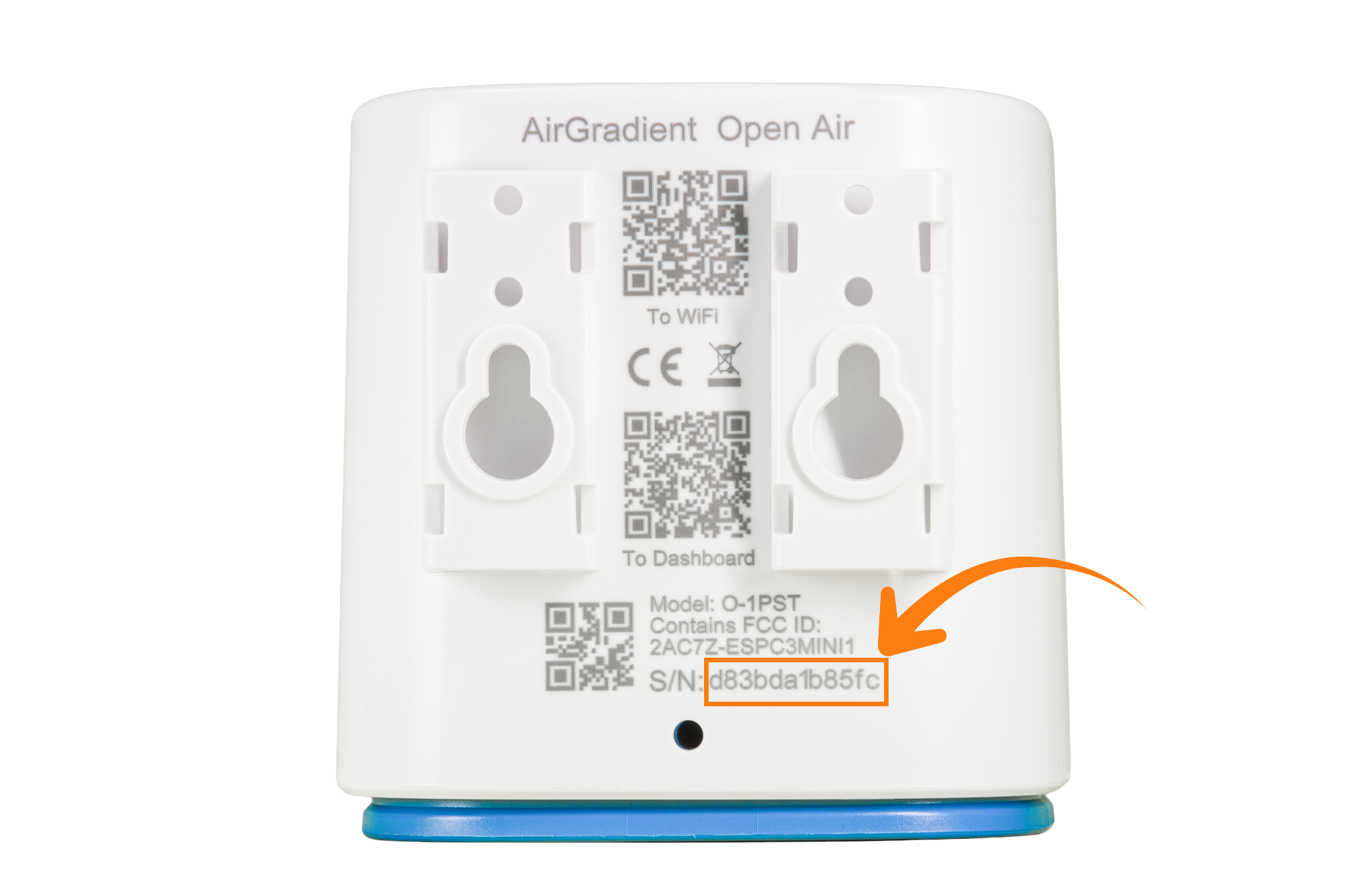
For fully assembled units, it’s simple:
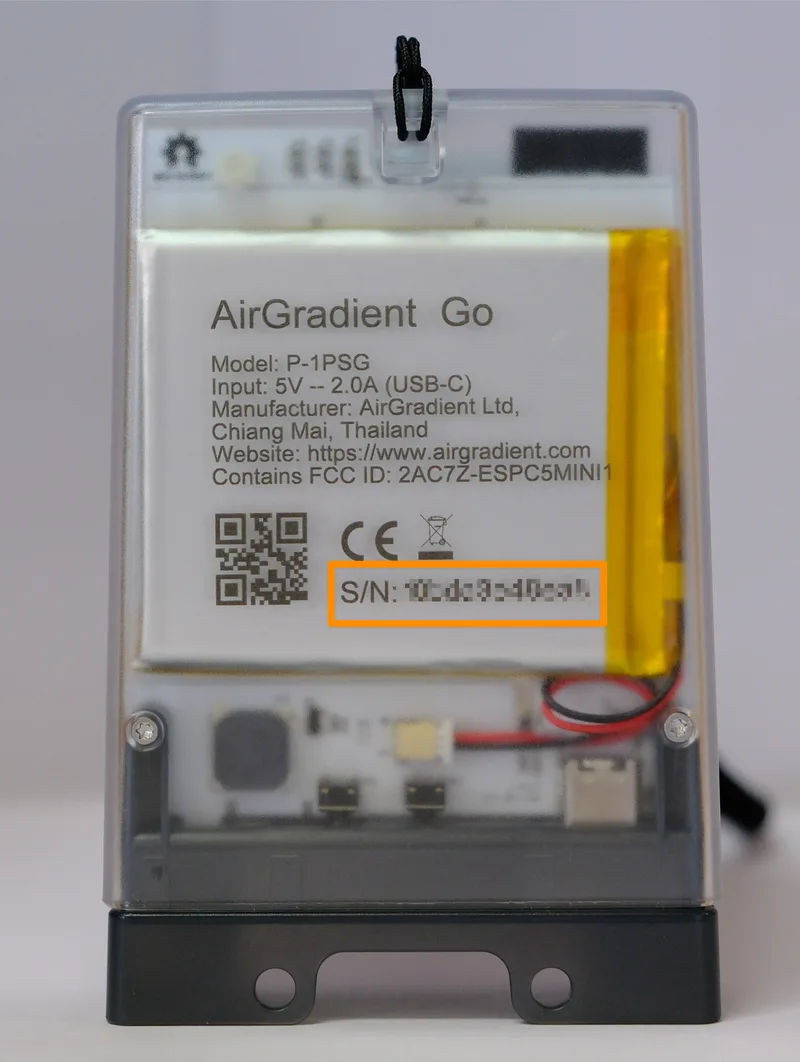
- The serial number (SN) is printed on the back of the device
- The model name is also indicated there

DIY Kits
Since DIY kits are assembled by you, the serial number is not printed on a case. There are a few ways to find it:
Method 1: On the device display (AirGradient ONE only)
If the device is not connected to WiFi, the serial number will be part of the WiFi hotspot name shown on the display on startup:
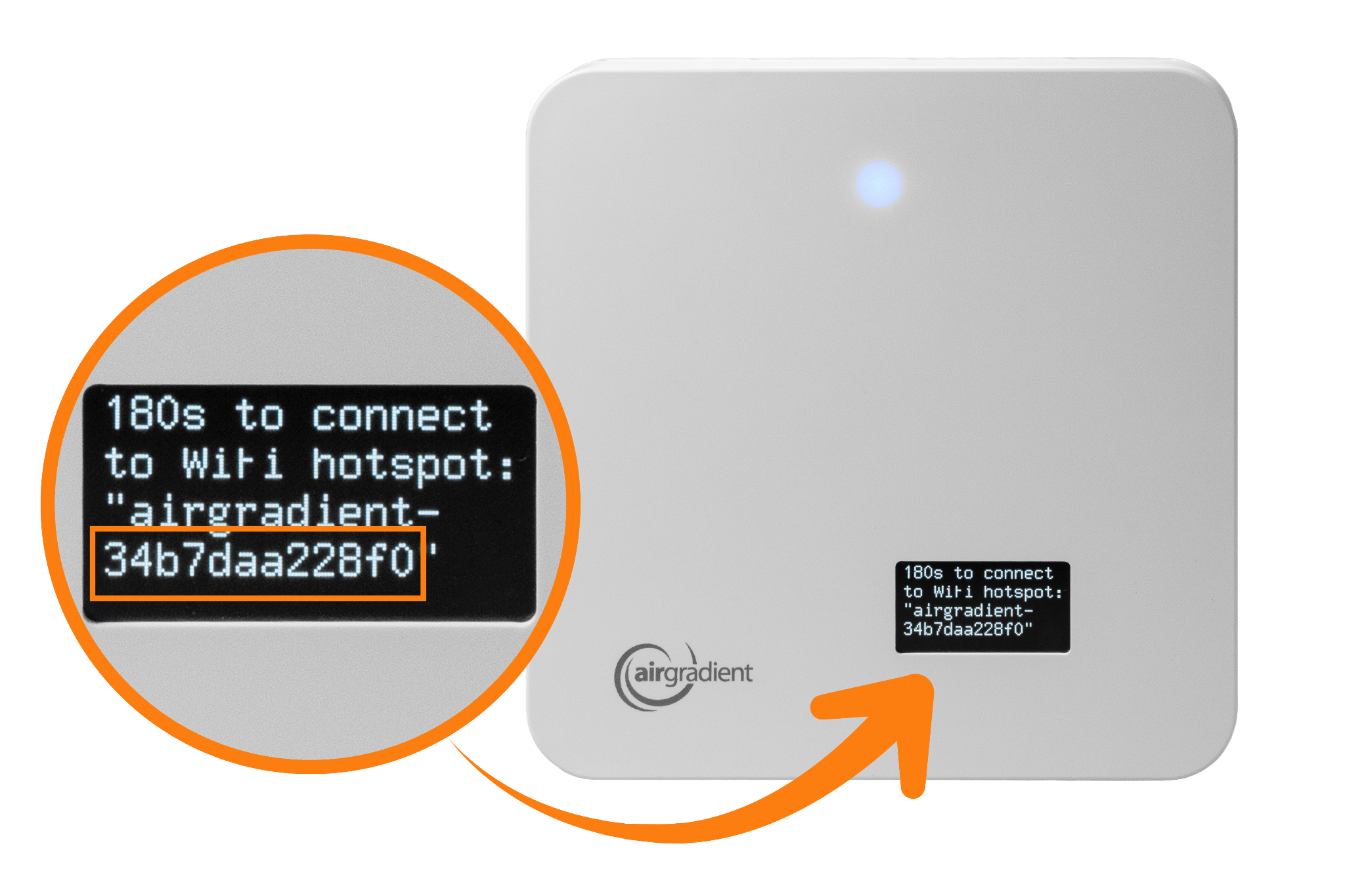
The format it is displayed in is:
airgradient-<your-serial-number>
(the serial number appears after airgradient-)
If your device is already connected to WiFi
- Reboot the device
- Wait for startup
- The serial number will briefly appear on the screen
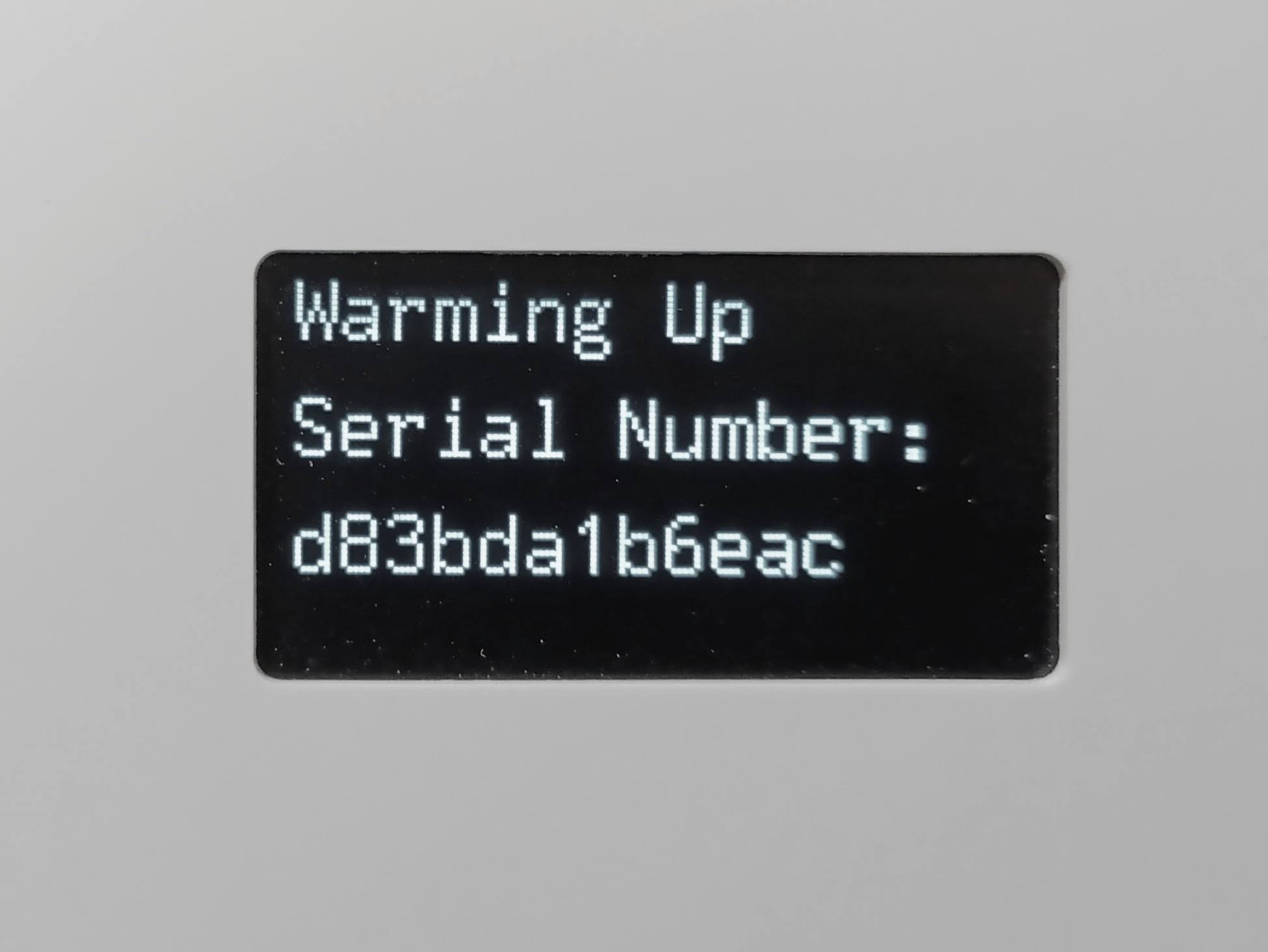
Tip: Use your phone camera to capture the SN quickly.
Method 2: Via WiFi hotspot
- Reset the WiFi credentials:
AirGradient ONE - Resetting WiFi Configuration
AirGradient Open Air - Resetting WiFi Configuration
Open the WiFi settings on your phone or computer.
Look for a network named:
airgradient-your-serial-numberThe serial number appears after
airgradient-. On some phones, the SN may be truncated due to display size limitations, in that case, continue following the steps below.Connect to this WiFi network, password: cleanair
Once connected, either:
- Wait for the WiFi portal to open automatically, or
- Manually go to
192.168.4.1in your browser - The full serial number will be displayed in the portal.
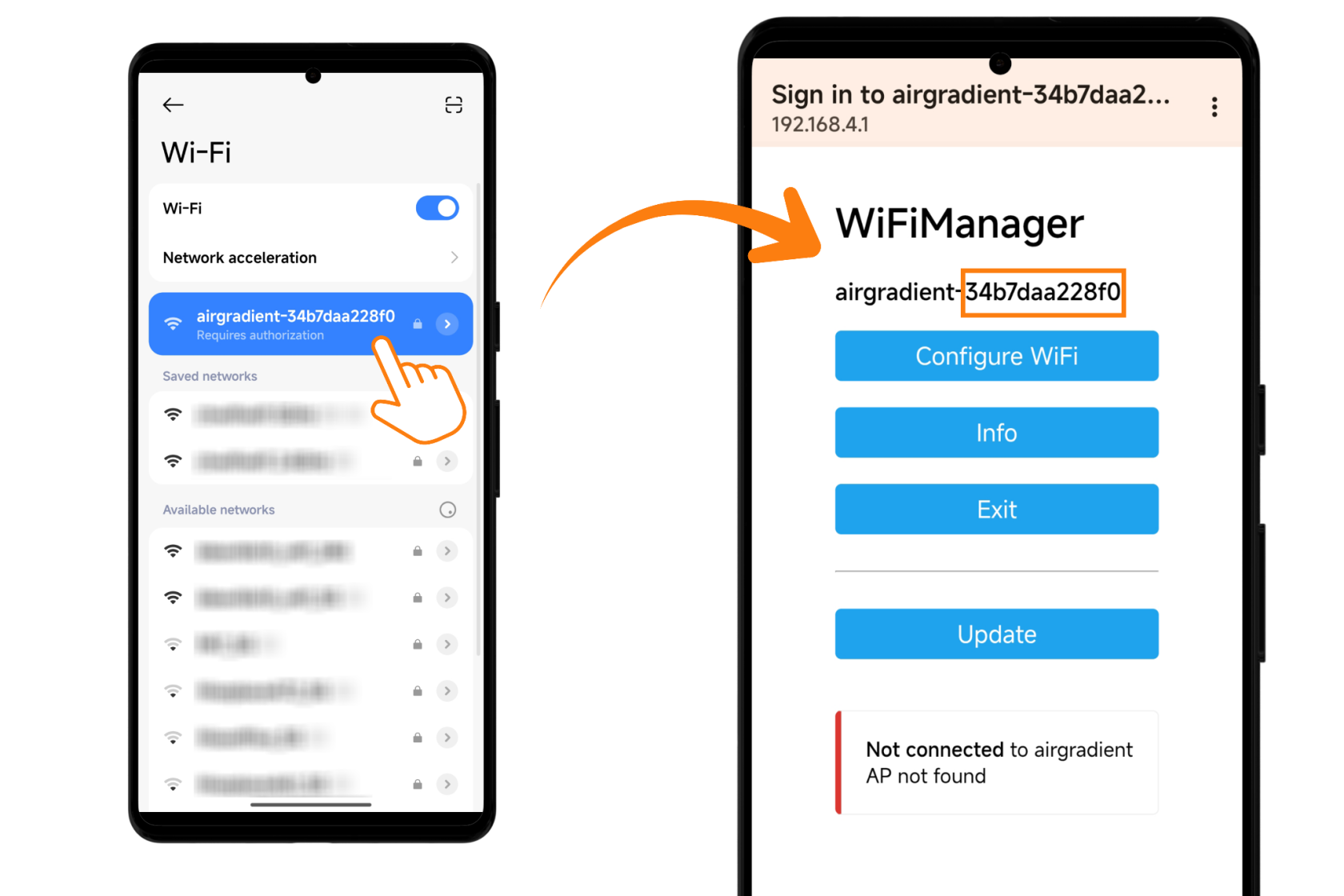
Note it down.
Method 3: Via Device Logs
Connect your monitor to your computer using a USB cable.
Open Google Chrome or Microsoft Edge (or any Chromium based browser)
Go to: https://www.airgradient.com/documentation/kb/kb-diy-online-debug
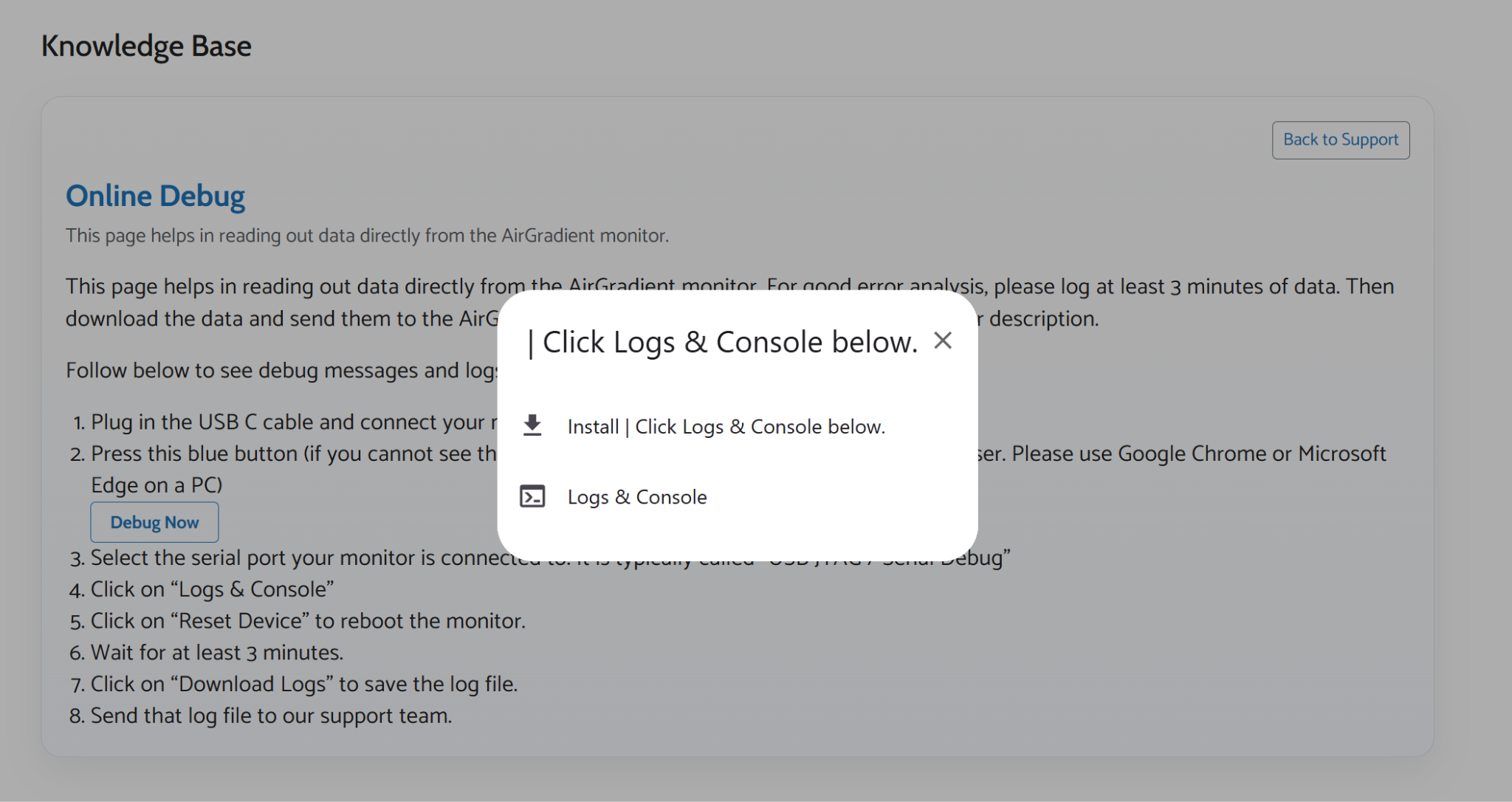
Click the “Debug Now” button.
In the pop-up window:
- Select the device labeled “USB JTAG/Serial debug unit…”
- Click “Connect”
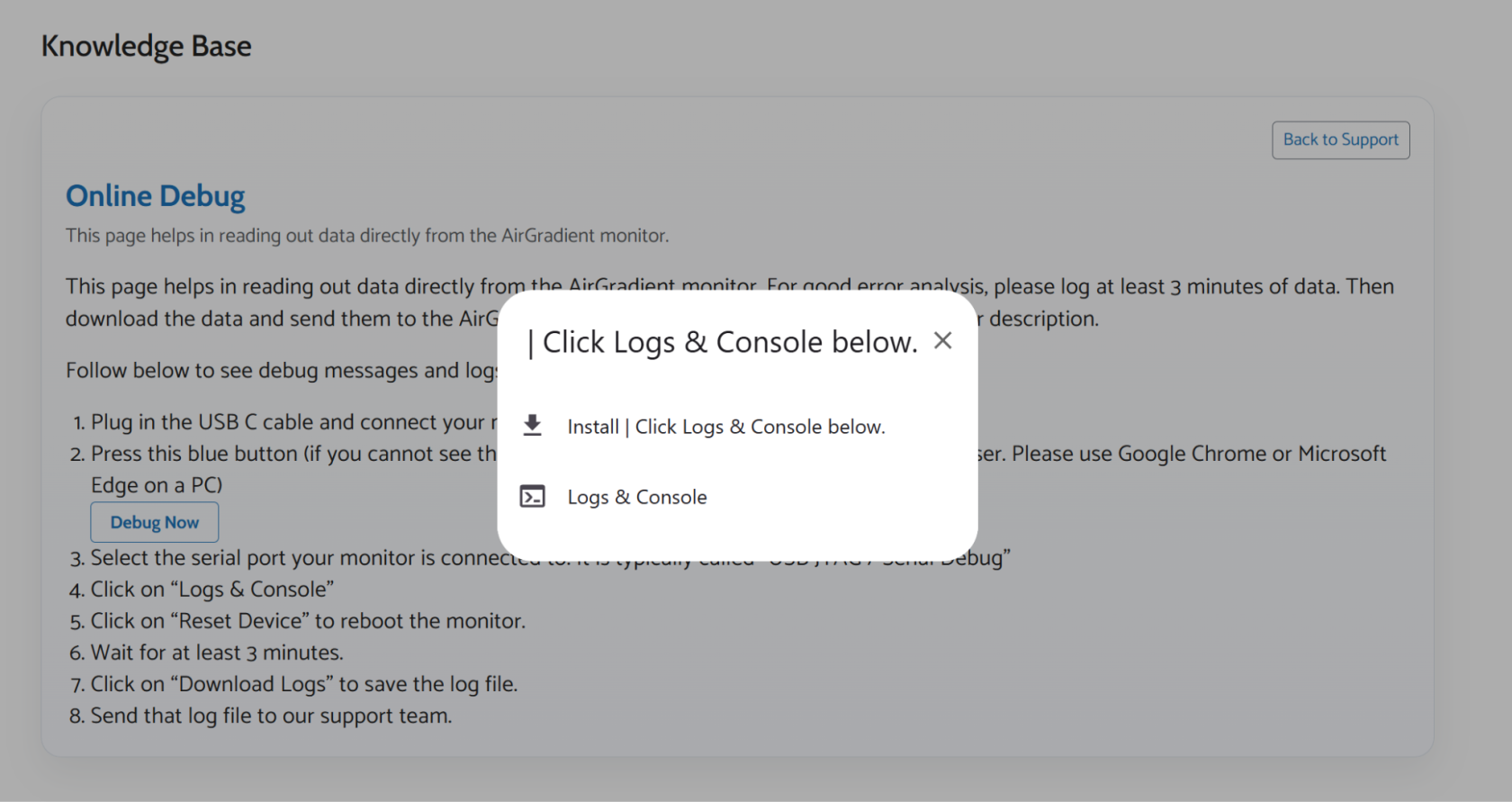
- When prompted, select “Logs & Console”
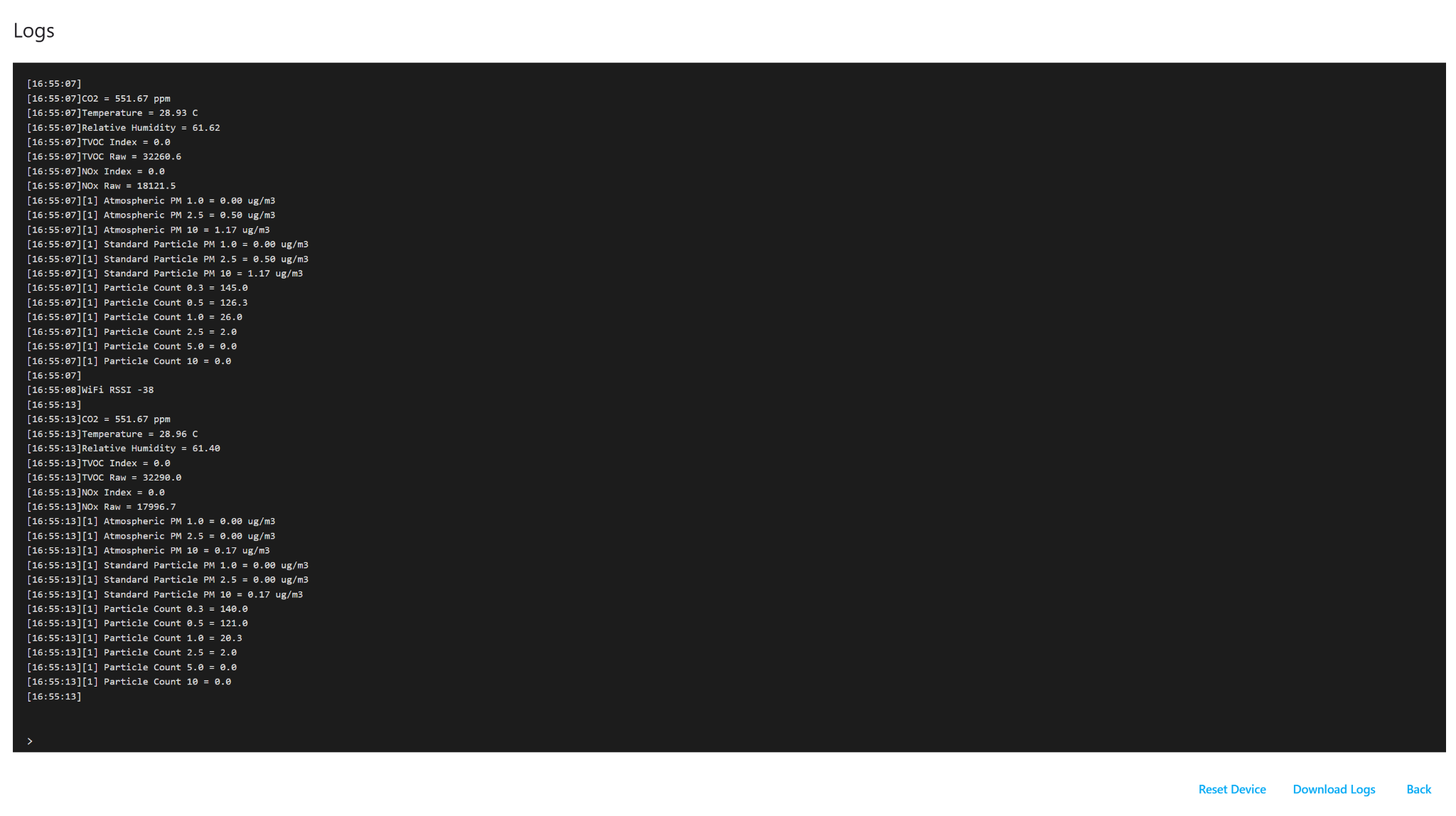
A log window (black background) will appear.
Click the “Reset Device” button at the bottom right.
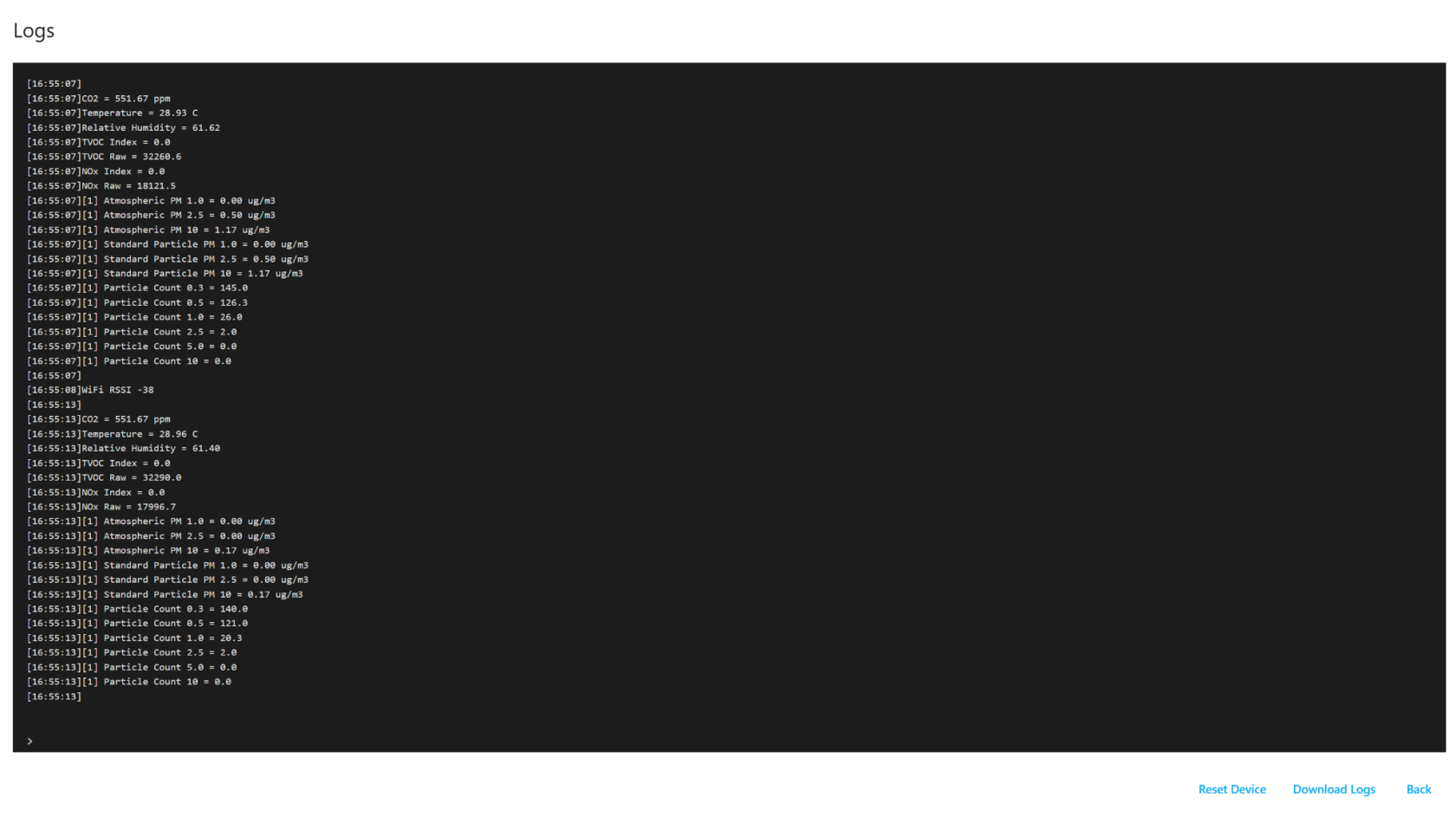
The device will reboot, and logs will start appearing.
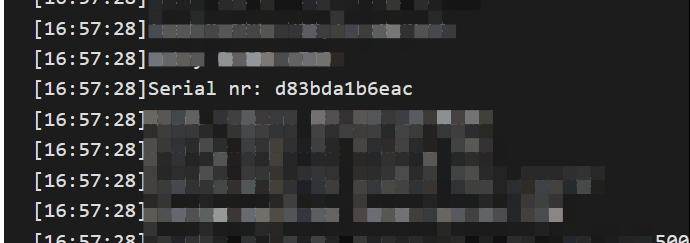
Look for the line containing:
Serial nr: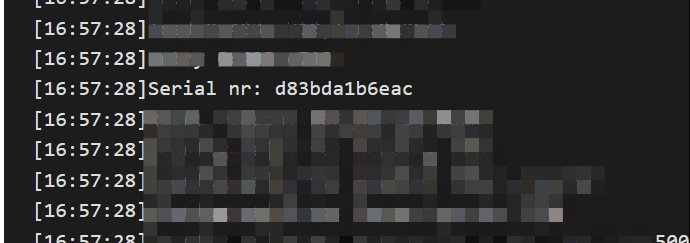
The value shown after this is your device’s serial number. You can use Ctrl + F to locate it faster.
Note down your SN.