What does "Reduction" mean in the AirGradient Dashboard?
What does "Reduction" mean in the AirGradient Dashboard?
The Reduction (%) value shows how much lower the indoor PM2.5 average is than the outdoor PM2.5 average.
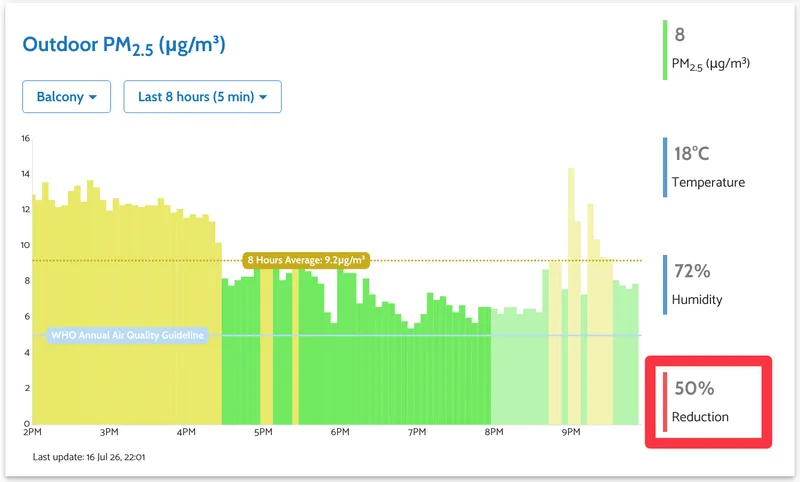
This value appears when you have both an indoor and an outdoor monitor in the AirGradient Dashboard and select outdoor data as a comparison source for the indoor PM2.5 graph.
How Reduction is calculated
The dashboard compares the outdoor and indoor PM2.5 averages for the selected time period:
Reduction (%) = ((Outdoor PM2.5 - Indoor PM2.5) / Outdoor PM2.5) x 100
The dashboard uses the PM2.5 averages for the selected time range and graph resolution.
Example
If the outdoor PM2.5 average is 20 µg/m³ and the indoor PM2.5 average is 9 µg/m³:
((20 - 9) / 20) x 100 = 55%
The dashboard shows a 55% Reduction, meaning the indoor PM2.5 average was 55% lower than the outdoor PM2.5 average for that period.
To add outdoor monitor data to an indoor monitor graph, see Comparing Indoor and Outdoor Data on the Same Graph.