Mounting the AirGradient Open Air Max
Mounting the AirGradient Open Air Max
Before Mounting
Before permanent deployment, confirm that the monitor can connect and report data to the dashboard for at least one continuous hour.
Also confirm that:
- The battery power switch is ON.
- The solar panel is connected.
- The selected location has cellular coverage or reliable WiFi.
- The solar panel receives enough direct sunlight.
Choosing a Location
Choose a mounting location with:
- Good natural airflow
- Sensor vents facing downward
- Limited obstructions around the device
- Access to direct sunlight for the solar panel
- Safe access for maintenance
- Protection against tampering where needed
Avoid placing the monitor next to localized pollution sources such as chimneys or vents, unless that source is the specific target of the monitoring project.
The monitor should be installed at a height of at least 1.5 meters where possible.
Solar Panel Placement
The solar panel should be positioned for maximum sun exposure.
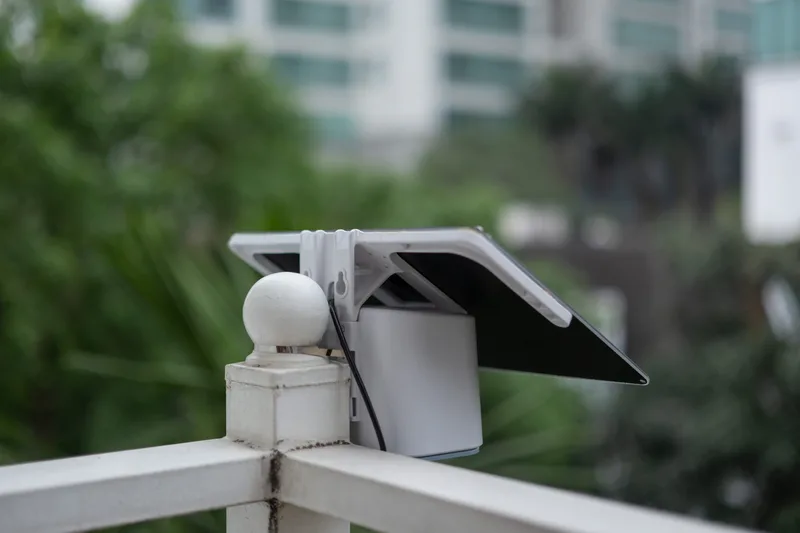
For best performance:
- Face the panel toward the sun's daily path:
In the Northern Hemisphere, solar exposure is usually strongest when the panel faces south.
In the Southern Hemisphere, solar exposure is usually strongest when the panel faces north.
Avoid shade from buildings, trees, poles, or other objects.
Keep the solar panel clean.
The included solar panel does not have to be mounted directly next to the Open Air Max. With an extension cable, the solar panel and monitor can be mounted separately. This allows the solar panel to be placed in the sun while the monitor is placed in the shade for more accurate temperature and relative humidity readings.
Mounting Options
Use the included hardware and the brackets on the back of the Open Air Max.
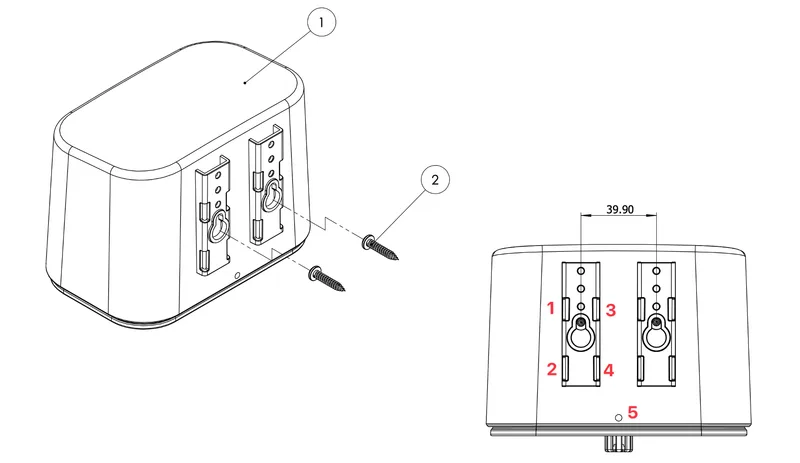
The device supports:
Pole mounting with stainless steel straps or cable ties through the bracket slots
Wall mounting with M4 screws
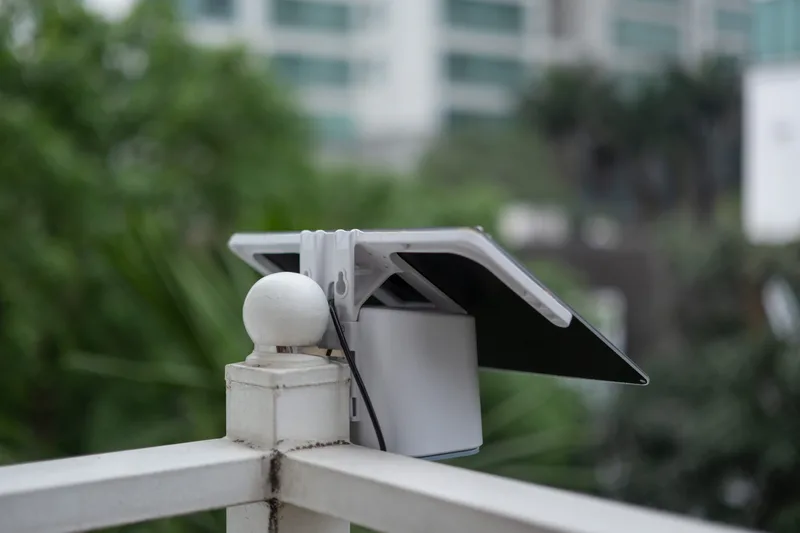
It is essential to mount the monitor in the correct orientation, with the sensor intake vents pointing downward.
For public installations, use the anti-theft screw hole at the bottom of the monitor if needed.