PM Sensor Batch Correction Factors
PM Sensor Batch Correction Factors
Batch-specific correction is mainly intended for DIY kits, because these monitors are assembled by the user and do not go through AirGradient’s factory calibration process.
It may also be useful for older assembled monitors or other cases where device-specific factory calibration is not available or no longer applies.
Do not apply batch correction to fully assembled monitors that already have active Factory Calibration in the dashboard, unless specifically advised by AirGradient support.
For the full explanation of PM calibration, including Factory Calibration, EPA correction, and when corrections should or should not be combined, please see:
Particulate Matter PM Sensor Calibration Guide
For the full background and explanation on why batch corrections exist, see: Enhance the Accuracy of the PMS Sensors
Batch Correction Table
| Batch Correction Name | Scaling Factor | Offset |
|---|---|---|
| PMS5003_20231030 | 0.02838 | 0 |
| PMS5003_20231218 | 0.03525 | 0 |
| PMS5003_20240104 | 0.02896 | 0 |
| PMS5003T_20240921 | 0.03343 | 0 |
| PMS5003T_20240417 | 0.02799 | 0 |
| PMS5003T_20240518 | 0.03394 | 0 |
| PMS5003_20240826 | 0.03863 | 0 |
| PMS5003_20250116 | 0.02983 | 0 |
| PMS5003_20250530 | 0.02411 | 0 |
| PMS5003T_20250208 | 0.02719 | 0 |
| PMS5003T_20241222 | 0.02080 | 0 |
| PMS5003-20250720 | 0.004629 | 0 |
| PMS5003-20260225 | 0.004341 | 0 |
| PMS5003-20260410 | 0.005152 | 0 |
| PMS5003T-20260408 | 0.003964 | 0 |
| PMS5003-20251218 | 0.016522 | 0 |
| PMS5003-20260108 | 0.014934 | 0 |
| PMS5003-20260617 | 0.005080 | 0 |
| PMS5003T-20260923 | 0.004490 | 0 |
If your PM sensor batch is not listed as a pe-selectable correction in the Dashboard, you can apply the correction manually until it is listed in the dashboard:
Select Custom via PM count.
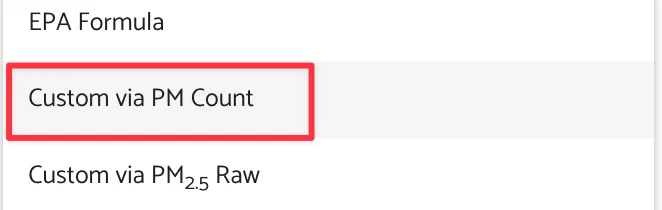
Enter the Scaling Factor and Offset shown for your sensor batch in the above table .
If your PM sensor batch is not listed here, please contact us at support@airgradient.com