Powering the AirGradient ONE
Powering the AirGradient ONE
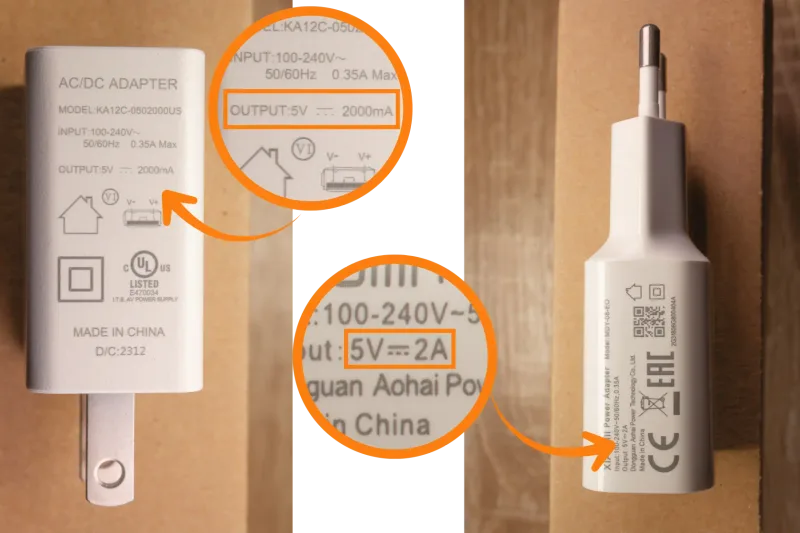
Use a standard 5V, 2A USB power supply (not included). Most phone chargers meet this requirement.
You will likely have one of these lying around your house from a smartphone or another device.
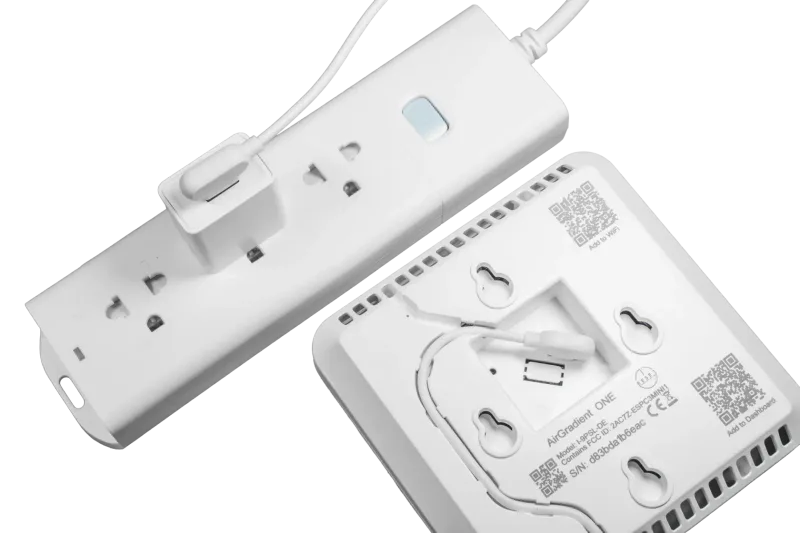
- Connect the USB-C end of the included cable to the AirGradient ONE
- Connect the USB-A end to the USB power supply
- Plug the power supply into an AC outlet
Power-related issues
If the device does not turn on, restarts unexpectedly, or shows unstable behavior (such as sudden CO2 spikes or missing PM data), the power supply is the most likely cause.
What to do
Try a different USB power adapter
Avoid low-quality or low-current chargers
Do not power the device from a computer USB port or underpowered hub
Stable power is critical for reliable operation.