If you’re using the AirGradient Map app, you’re definitely already familiar with our mascot Breezy. Its face appears on the icon of the app, when you’re checking the air quality in a certain location, and even as you’re shifting between the different features and pages. It also briefly introduces itself in the “Community” page as seen below.
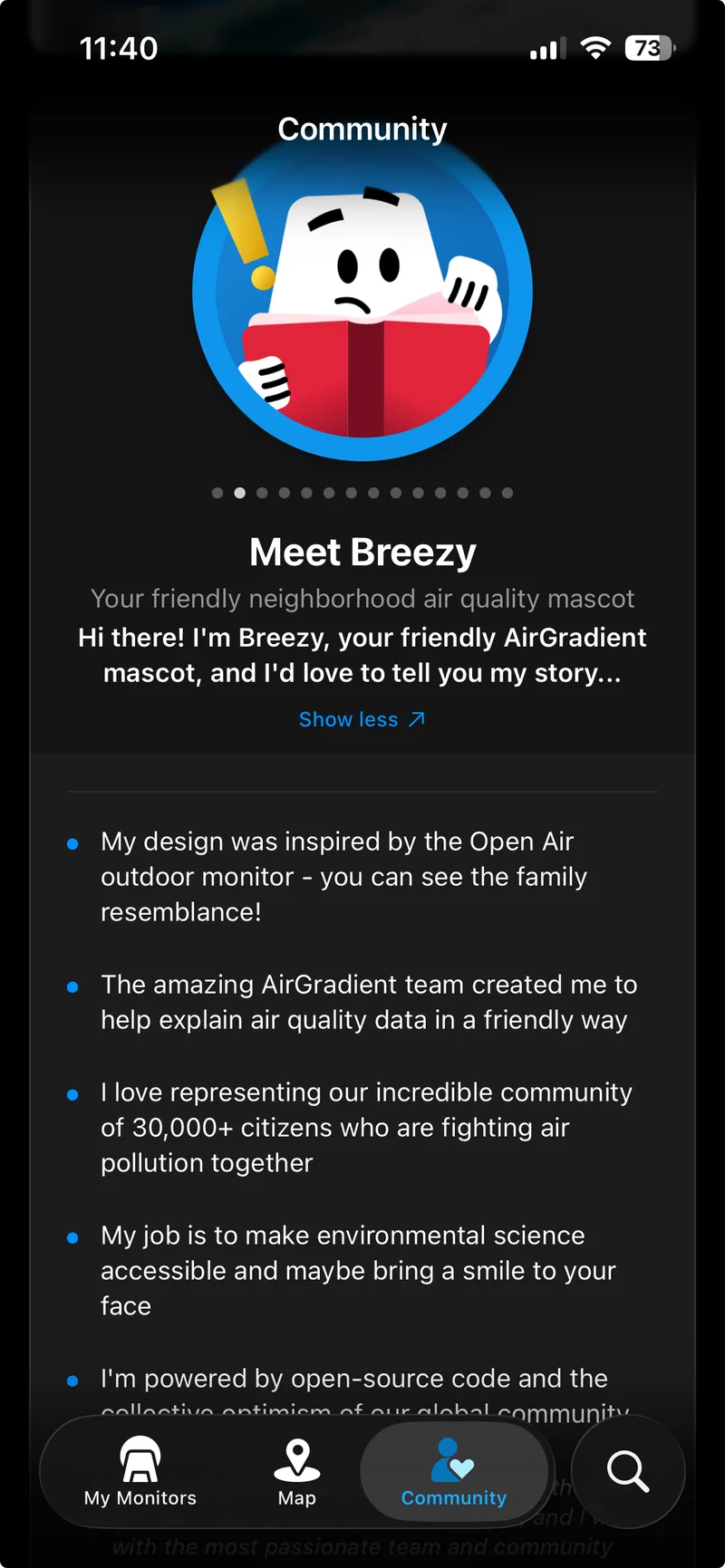
That short introduction gives you a small glimpse into who Breezy is, but there’s much more behind the character than what appears on screen. To find out how Breezy came to be, I interviewed our designer Cid, who led me through the creative process from start to finish.
How Breezy grew beyond the original idea
The idea for a mascot first came up during the early development stages of the AirGradient Map app. At the time, the team was still figuring out what features they wanted the app to have and how they wanted users to experience air quality information when using it.
As part of that process, our product success manager, Ethan, began researching other mobile applications that were also focused on sharing air quality data. During a side by side comparison of different apps and features, one particular detail stood out. Several apps were using some kind of visual character alongside AQI levels, often showing a person reacting differently depending on the air quality conditions being displayed.
Many were using illustrations of people reacting to different pollution levels through facial expressions, mitigation actions, or visible discomfort. The team liked the idea of having something similar in the app, as it made information easier to digest.
At first, the discussion centred around creating a similar human visualisation for the app. The mascot would mainly exist as a way to communicate AQI levels in a more simple manner. Still, Cid was encouraged to explore other ideas instead of following what other apps were already doing.
Once we decided that we wanted to do this human visualisation, Achim mentioned that we were not limited to following that exactly. He told me that if I have any other ideas or any other ways to visualize those kinds of infographics, I can just pitch it to the team.
That flexibility opened up the creative process even more. Cid started researching how other brands approached mascots and branding by looking at apps that had built recognizable visual identities around a character.
One example that really stood out to him was the mascot from Duolingo. Its owl mascot had become closely tied to the app while still feeling connected to the services it offered. Cid wanted to create something that could feel similarly recognizable for AirGradient. He started thinking about a mascot that could actually connect back to AirGradient itself. That was when he started looking more closely at the shape of the outdoor monitor.
“I thought of using the Open Air monitors as the mascot inspiration. When I had this idea, I realized it could potentially be a lead, mainly because when I was looking at other air quality monitors, they would usually have a square or rectangle shape. But for our outdoor monitor, it’s very unique wherein it’s sort of like a trapezoid.”
Once the mascot concept started taking shape, Cid combined it with the AQI visualisations the team had originally discussed, beginning with prototypes that corresponded to the six US AQI levels.
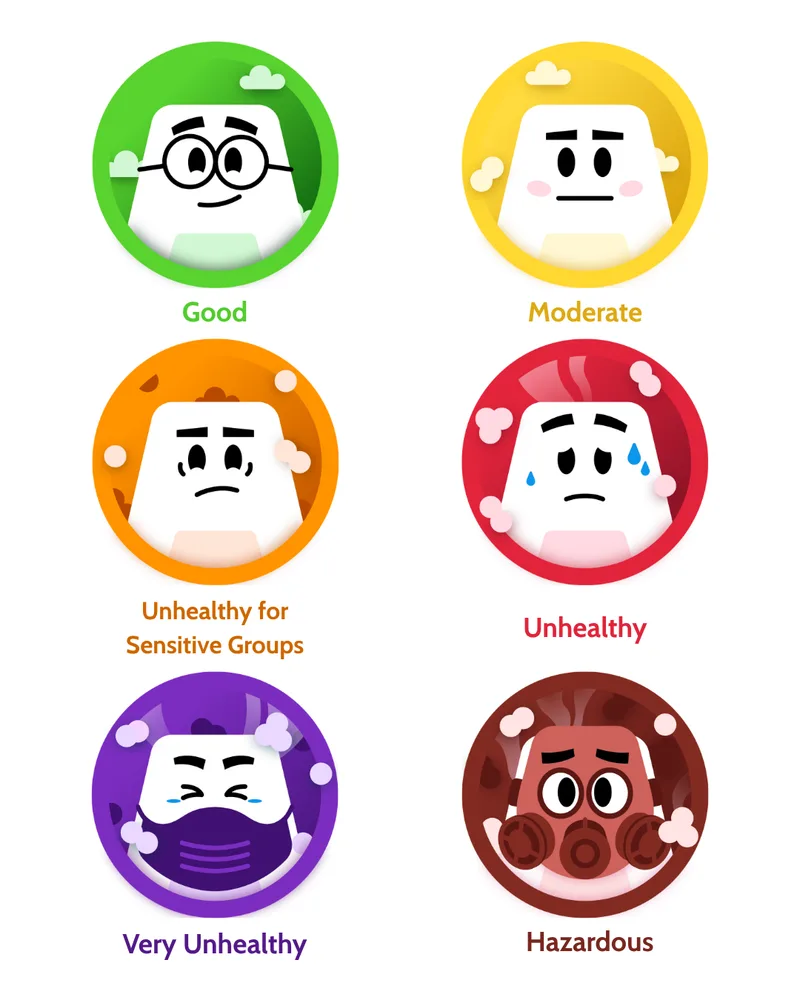
When the prototypes were shown to the team, they realized that there was a lot of potential for it to expand beyond its original purpose. Breezy – who didn’t have a name at the time – slowly became part of the entire app experience.
“Originally, we didn’t intend for Breezy to be the overall mascot for the whole application. We initially just wanted it to be a visualisation of each air quality level. But eventually, we liked the portrayal of Breezy as the representation of what we do, so we decided to expand it further by creating the icon for the mobile application.”
The hands-on design process
As Breezy became more integrated into the app, more designs for different functions and features were needed. Curious to know more about this process, I asked Cid to outline what it usually looks like when he starts designing a new one from start to finish.
Most new Breezy concepts begin with a discussion about the feature, page, or idea the team wants to communicate inside the app. From there, Cid starts researching how similar ideas are commonly represented across other applications and interfaces. Understanding those visual patterns is important to him, as users already associate certain symbols with certain actions.
When it comes to creating illustrations or icons in a UX or mobile application, it’s important to keep it simple and keep the visual language universal. For example when you think of ‘search’ in a website, oftentimes the icon involved is a magnifying glass. Those types of common practices I try to pinpoint to different references online so I can integrate them into Breezy.
Once the visual language is pinpointed, the sketching process begins. For more simpler concepts that can be drawn fairly quickly, Cid works directly on the computer. Though for more detailed Breezy designs, he starts off with a rough sketch either on paper or his iPad, and then transfers the drawings onto his laptop.
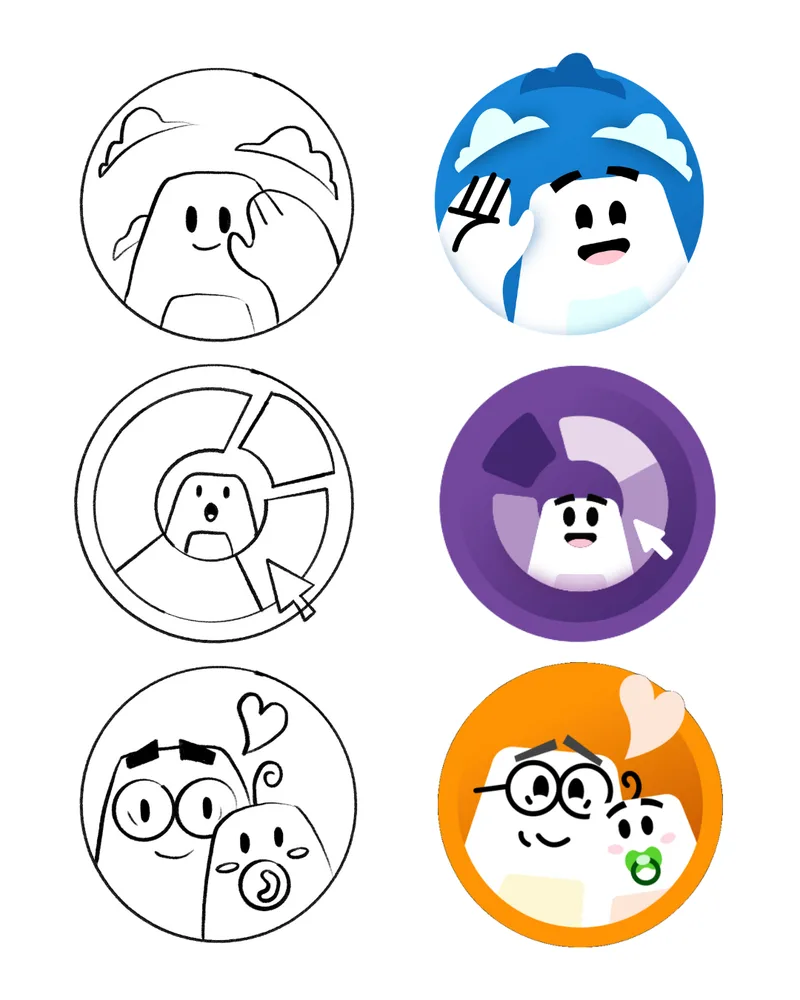
From there, the sketches are traced and coloured using Adobe Illustrator. After the first version is finished, it gets shared with the rest of the team for feedback, and the process usually repeats itself before the final version is approved.
As soon as a Breezy design is finalized, the files are then passed on to our motion designer Irina, who brings the character to life through animation and adds a layer of personality that static illustrations alone cannot fully capture. You can see what that looks like in the video below.
Finding the right balance
Even though the Breezy design looks simple on screen, designing the mascot has involved a number of creative challenges behind the scenes.
One of the biggest challenges throughout the process has been finding the right balance between making Breezy feel expressive and approachable without making the character feel overly cartoonish. Since the app itself focuses heavily on air quality data and scientific information, it was important to make sure that the mascot wouldn’t overpower the actual purpose of the platform.
When you look at Breezy it’s very minimal. It’s usually just the face itself and its body. That was particularly intentional on our end because I wanted to ensure that it doesn’t look too decorative or that it strays attention away from the information being presented.
Even now, new ideas for Breezy often involve long discussions before they are finalized. For example, one project involved creating localized versions of Breezy wearing traditional clothing from different countries. While this may seem like a straightforward concept, the process became more complicated once the team started discussing cultural accuracy and representation.
Right now, the project is on hold while the team continues reviewing feedback and refining designs, as translating detailed traditional clothing into a simplified vector style turned out to be more difficult than expected.
What comes next for Breezy?
As the app continues to grow, Breezy will continue to pop up in even more places throughout the platform.
What began as a character meant for AQI visualisations has slowly expanded into something much larger. Beyond the app itself, Breezy will make more appearances in future events and conferences we’ll be attending, with even more ideas currently being explored behind the scenes.
Even with those additions, the original purpose behind the character has stayed largely the same. Breezy was created to make air quality information feel less intimidating, and easier to approach for people who may be learning about it for the first time.
This is still only the beginning for the mascot, and we’re excited to continue bringing Breezy into more AirGradient experiences both inside and beyond the app!